How to use PremPRI Server?
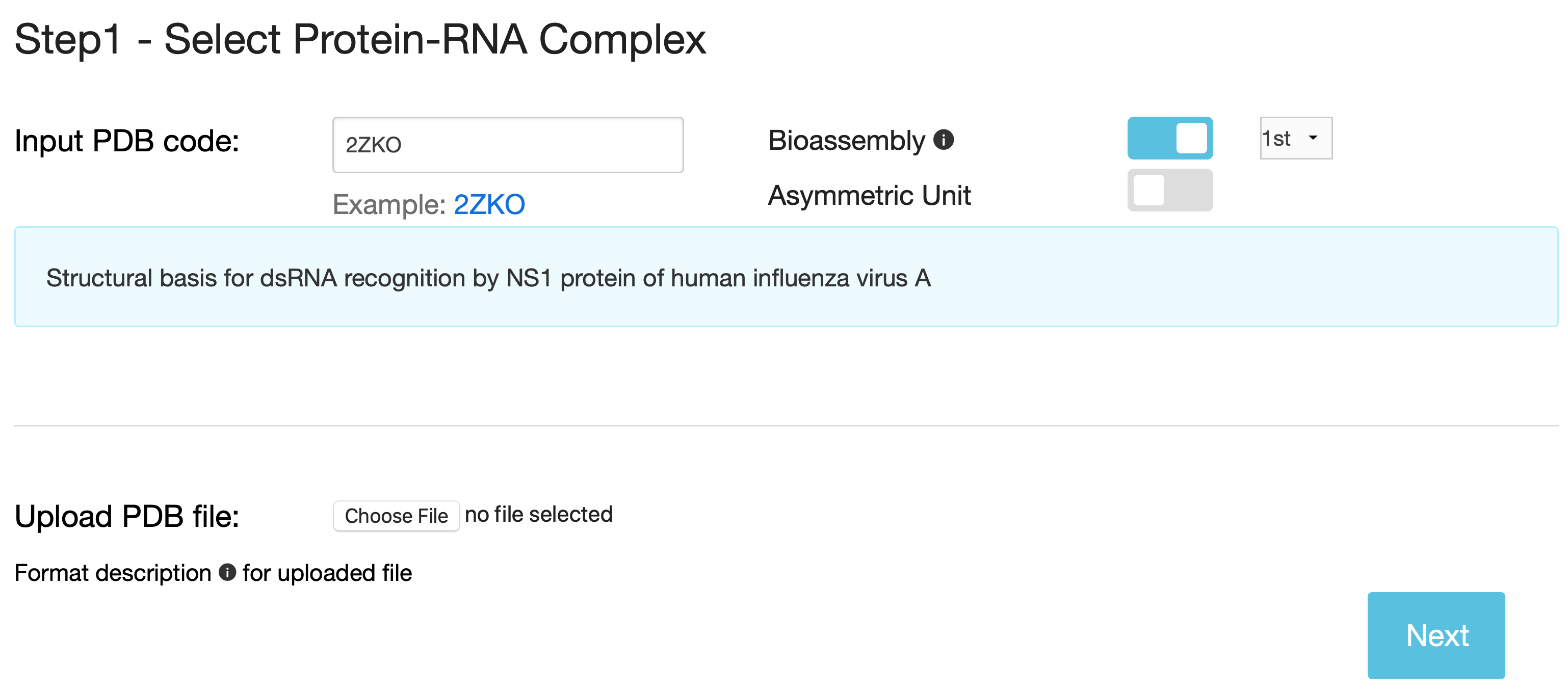
Step 1 - Provide the structure of a protein-RNA complex
You can either input the PDB code, the structure will be retrieved from the Protein Data Bank, or upload your own structure file, which must comply with the PDB format.
In either case, the structure file must include at least two chains, one is protein and the other is RNA. Please note that:
- Bioassembly (biological unit) is the default structure. You can choose all biological assemblies for each protein-RNA complex and the first bioassembly (.pdb1) will be used as default.
- If the structure file includes multiple NMR models, only the first one will be used in calculations.
- If the uploaded structure file includes multiple protein-RNA complexes, only the first one will be considered.
- Non-protein or nucleic acid molecules and non-standard residues or nucleotides are not taken into account during the calculations.
- PremPRI chooses the first coordinate for the atom if several different coordinates are provided in the PDB file.
Step 2 - Define two partners for a protein-RNA interaction
A user can define interaction partners by clicking on the button of any chain thumbnail. Please note Partner 1 and Partner 2 is restricted to Protein and Nucleic acid respectively, so the selected protein/RNA chain will be put into the box of Partner1/Partner2 automatically.
- PremPRI provides a 3D view of the complex colored by chains. Each chain is listed with the corresponding name of the protein or nucleic acid.
- One can assign one chain or multiple chains to either Partner 1 or Partner 2, but both partners should include at least one chain; Only assigned chains will be considered during the prediction.
- For bioassemblies if any protein or nucleic acid/chain in the structure were generated by applying symmetry operations, they are depicted with the labels of alphanumeric combinations (for example, ‘A_1’) indicating the source molecule/chain from which they were generated.

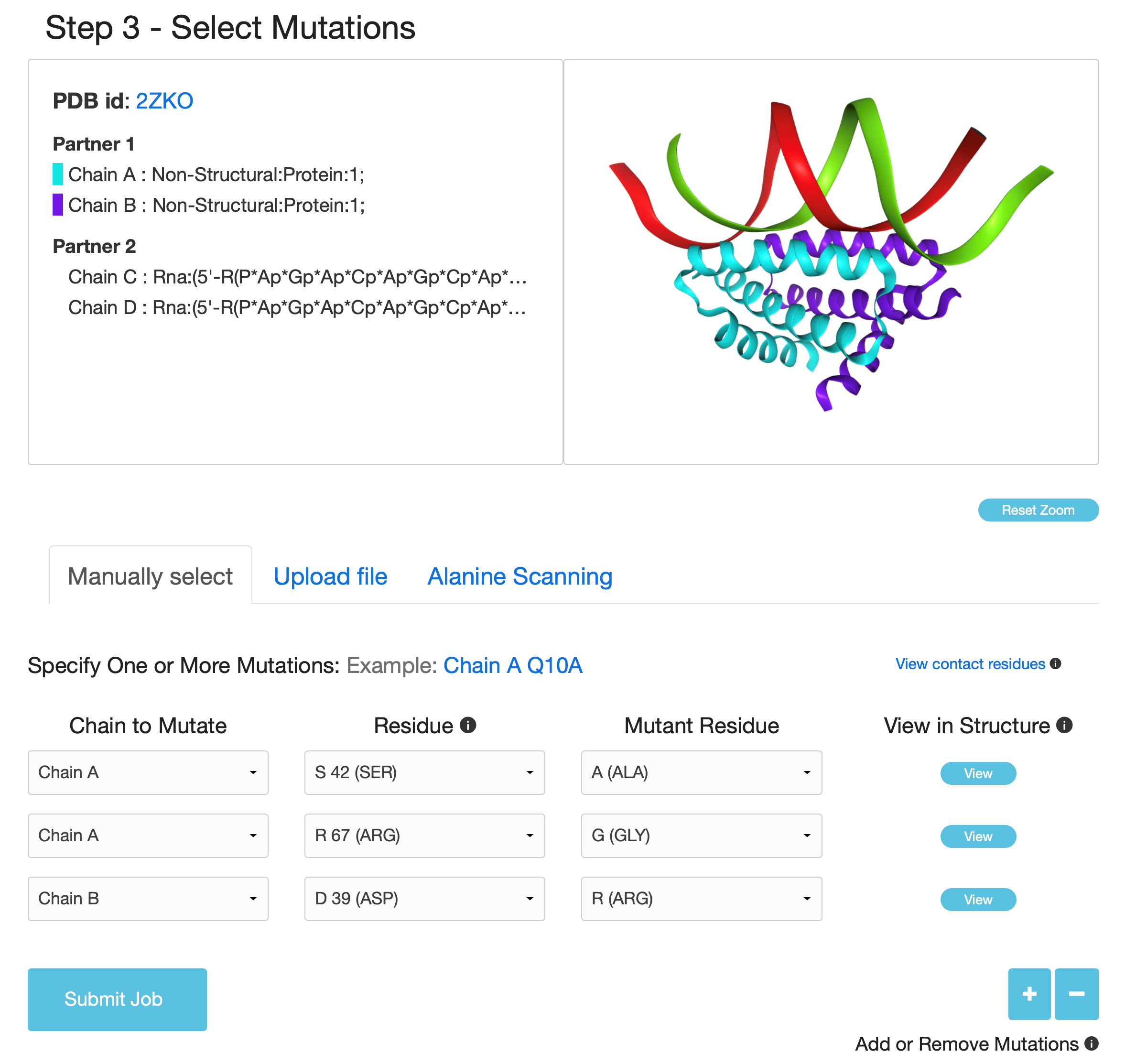
Step 3 - Select mutations to estimate their effects on protein-RNA interaction
Three options are provided allowing users to do large-scale mutational scanning: "Specify One or More Mutations Manually" , "Upload Mutation List" and "Alanine Scanning for Each Chain"
- In the option of "Specify One or More Mutations Manually", the user can submit the specified mutations and visualize each mutated site in the protein-RNA complex structure.
- "Upload Mutation List" option allows users to submit a list of mutations specified in the uploaded file.
- "Alanine Scanning for Each Chain" option is used to perform alanine scanning for each protein chain.
Results
Upon the completion of the third step and submission of the job, PremPRI provides a job identifier for checking the job status. If an e-mail address is provided, the link to the results page will be sent via e-mail. The results will be available on this page as soon as the calculations are done. The example below shows precalculated results for job 2020050504060173705807592.
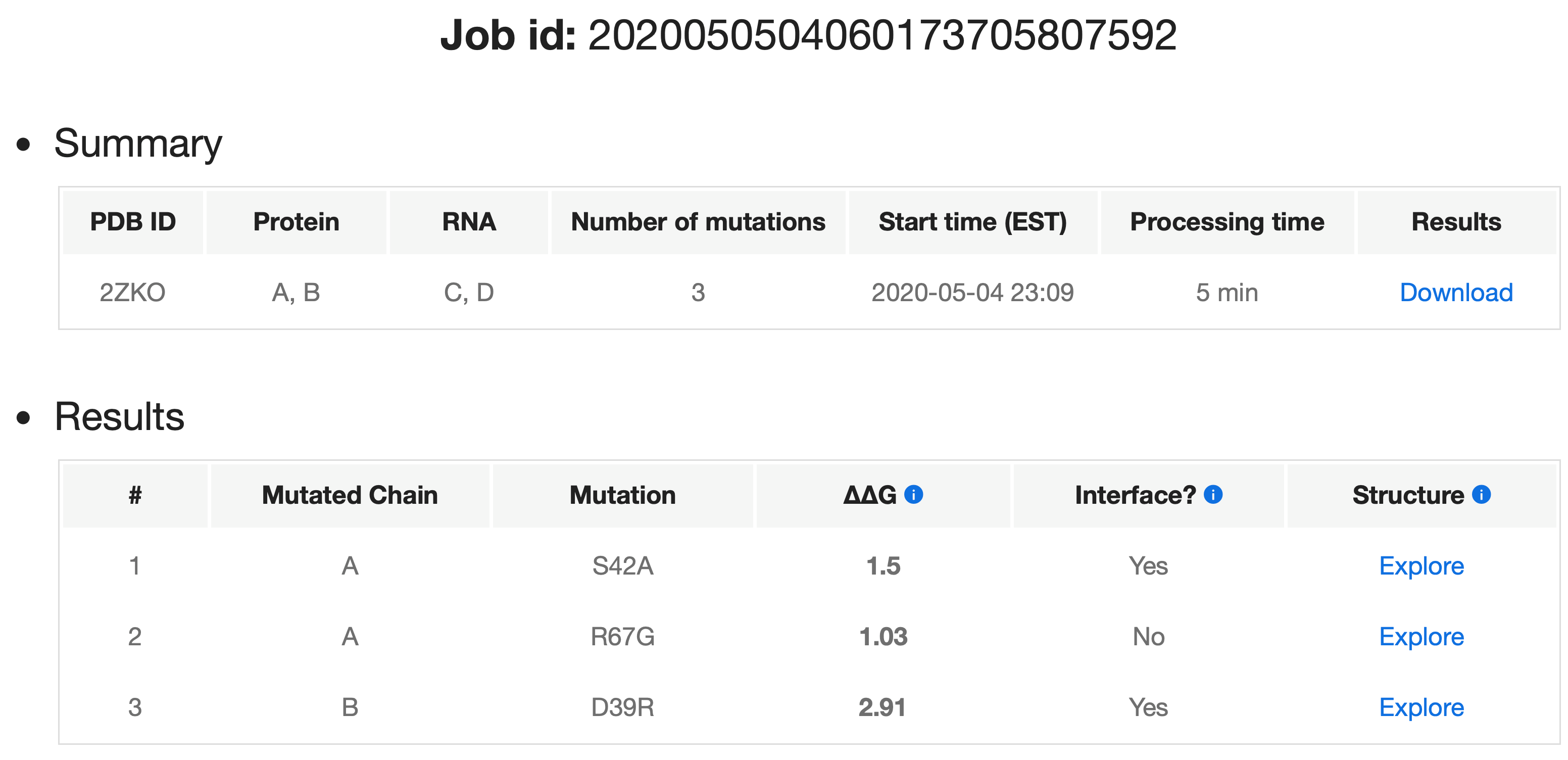
For each job, PremPRI presents a summary and actual processing time. For each single mutation in a protein-RNA complex, the PremPRI server provides:
- ΔΔG(kcal mol-1) is the predicted binding affinity change, and positive and negative signs correspond to the mutations decreasing and increasing binding affinity respectively.
- Interface (yes/no), shows whether the mutation occurs at the protein-RNA binding interface. When a residue's solvent accessible surface area in the complex is lower than in the unbound partner, it is defined as located at the interface.
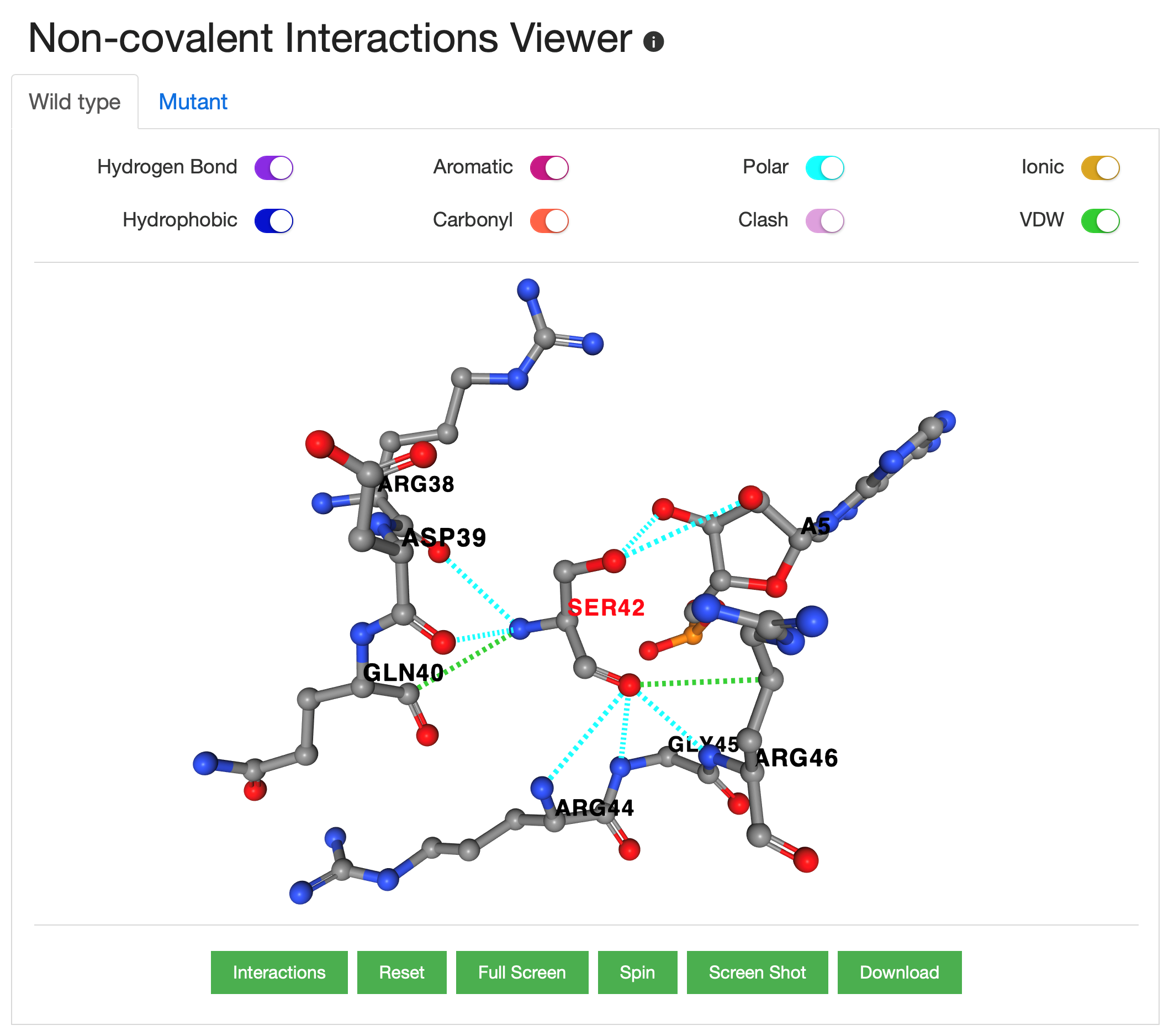
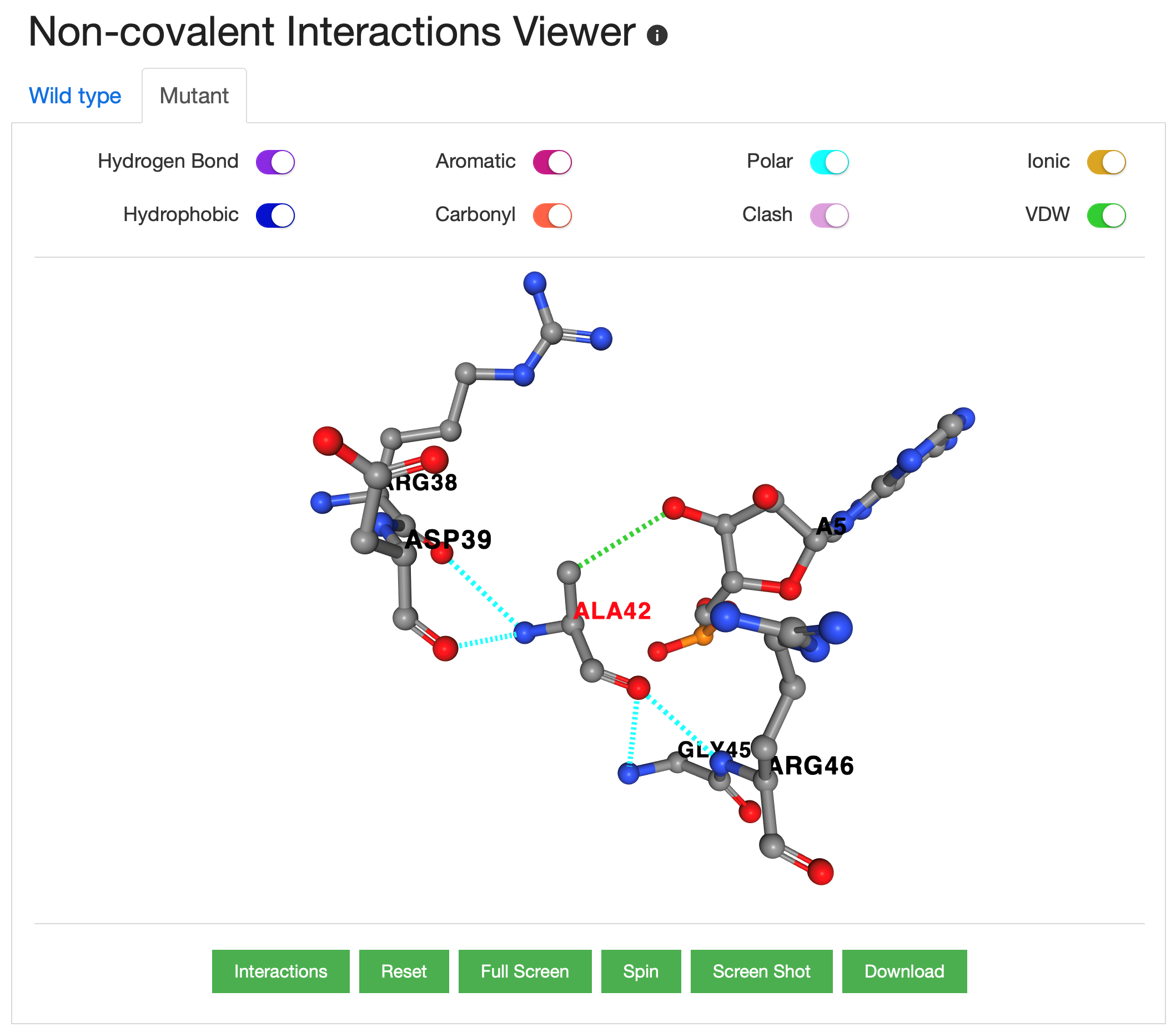
- Structure, PremPRI provides an interactive 3D viewer which shows the non-covalent interactions between the residue in the mutated site and its adjacent residues/nucleotides, generated by Arpeggio. The minimized wild-type and mutant complex structures are used to show the interactions. The example below shows the non-covalent interactions between the mutated site in the NS1 protein of human influenza virus A (PDB ID: 2ZKO, mutation: S42A) and its adjacent residues/nucleotides in the wild-type (left) and mutant (right) complex respectively.
Browser compatibility
| OS | Version | Chrome | FireFox | Mircosoft Edge | Safari |
| Linux | CentOS7 | not tested | 60.6 | n/a | n/a |
| MacOS | 10.14 | 78.0 | 70.0 | n/a | 12.0.3 |
| Windows | 10 | 78.0 | 56.0b3 | 44.1 | n/a |
School of Biology & Basic Medical Sciences, Soochow University
199 Ren-Ai Road, Suzhou, Jiangsu, 215123 P.R. China

